 BillPakka
Billing software for retail shops
Bill walk-in customers in seconds with barcode scanning and keyboard shortcuts. Take cash, UPI or card, print a GST invoice, and let BillPakka keep your stock and GST reports up to date.
Short queues at peak hours
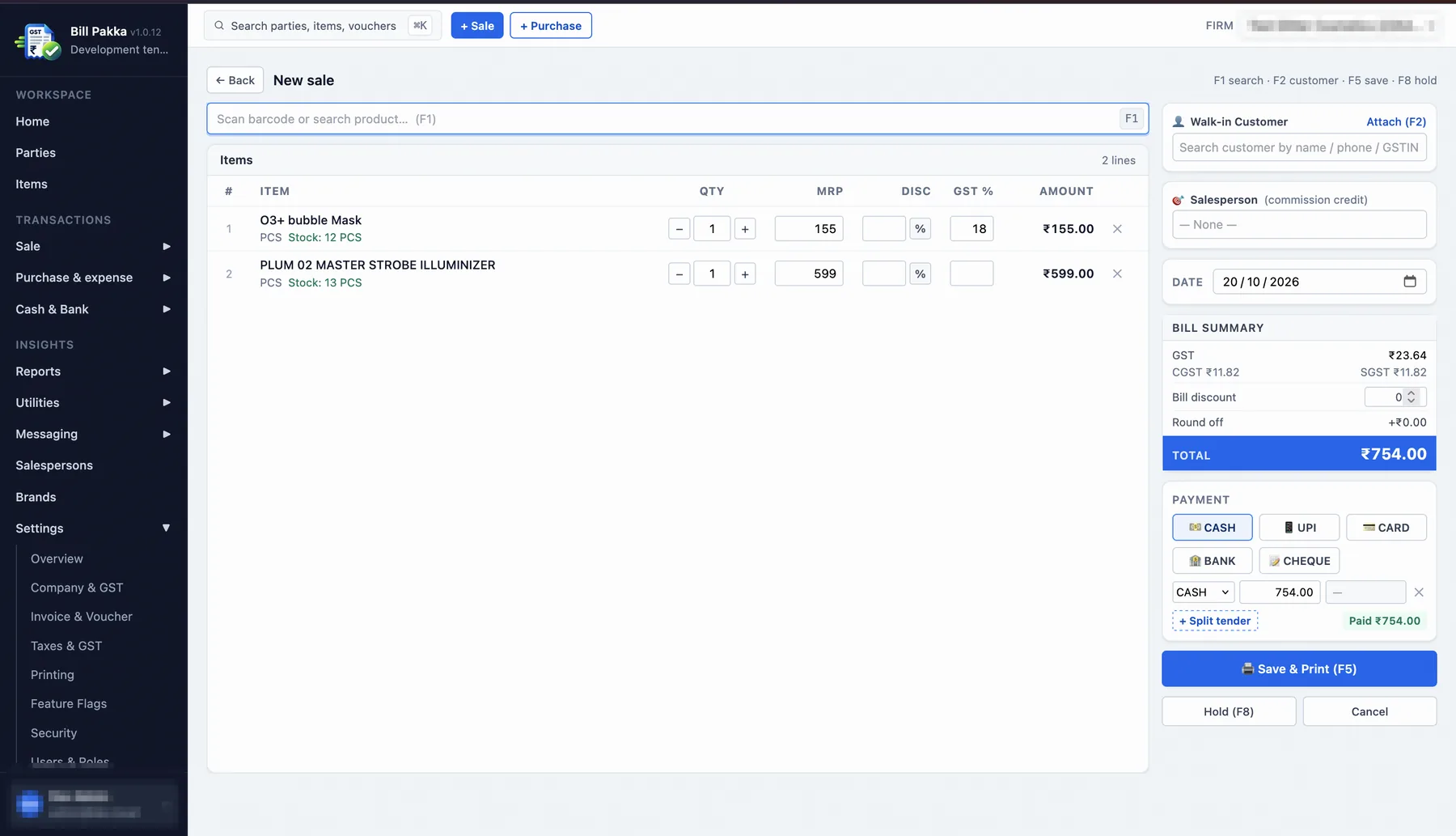
Scan or search a product, set the quantity and take payment without reaching for the mouse. Hold a bill when a customer steps away and come back to it.
- F1 search, F2 customer, F5 save & print, F8 hold
- Cash, UPI, card, bank or cheque, with split tender
- MRP, discount and GST % on every line
Stock that matches the shelf
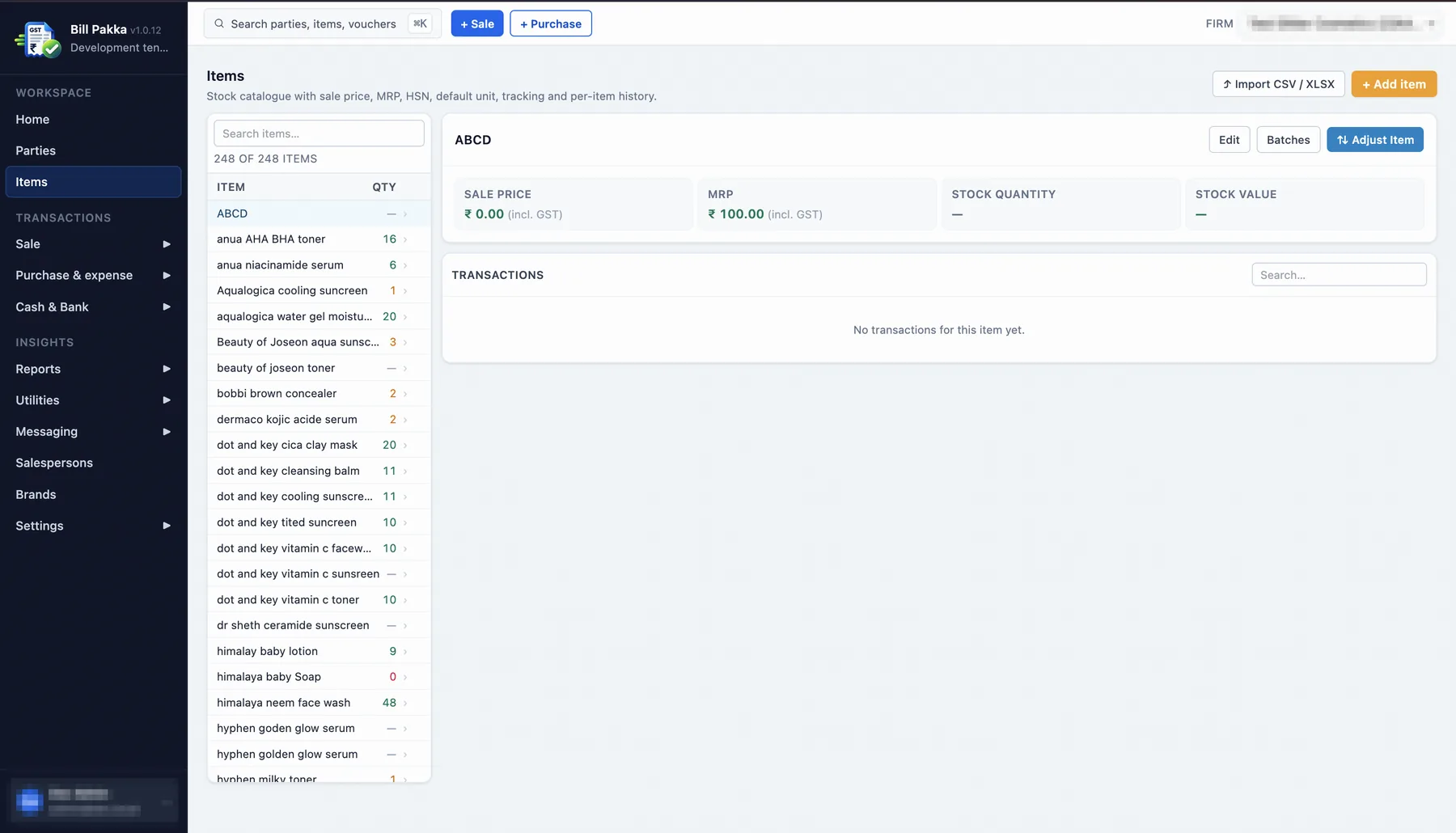
Every sale reduces stock as soon as the bill is saved, so the number on screen is the number on the shelf.
- Low-stock alerts before you run out
- Batch tracking and stock adjustments
- Import items from CSV or XLSX
What changes at your counter
Faster billing
Scanning and F-keys instead of typing every item and price.
GST without the maths
CGST and SGST are worked out on every line and shown on the invoice.
No more stock guesswork
Live quantities, low-stock alerts and near-expiry batches.
Credit for your staff
Pick a salesperson on each sale and track commission.
Can I use a barcode scanner with BillPakka?
Yes. The billing screen starts with the barcode / product search box, so a scan adds the item straight to the bill.
Can customers pay by UPI, card or cash?
Yes. You can take cash, UPI, card, bank transfer or cheque, and split one bill across more than one payment mode.
Can I bring my existing item list?
Yes. Items can be imported from a CSV or XLSX file.
Do I need to install software on the counter PC?
No. BillPakka runs in the browser, so any counter computer with a modern browser can bill.
I run more than one shop. Does that work?
Yes. You can add more than one firm and switch between them from the top bar.
See it on your own counter
We will show you a bill with your kind of items and payments.
Already a customer? Log in